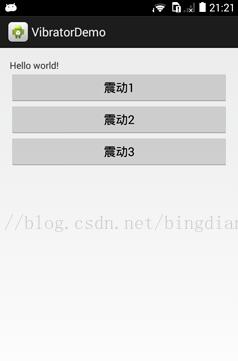
这篇文章主要为大家详细介绍了Android实现手机震动效果,文中示例代码介绍的非常详细,具有一定的参考价值,感兴趣的小伙伴们可以参考一下
手机开发中,有时候我们需要使用震动效果提示用户当前的软件状态,下面以一个简单的例子实现这个功能。
1.新建Android应用程序
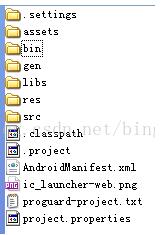

2.在AndroidManifest.xml中申明需要使用的震动权限
|
1
|
<uses-permission android:name="android.permission.VIBRATE" /> |
3.界面上添加按钮
|
1
2
3
4
5
6
7
8
9
10
11
12
13
14
15
16
17
18
19
20
21
22
23
24
25
26
27
28
29
30
31
32
33
34
35
|
<LinearLayout xmlns:android="http://schemas.android.com/apk/res/android"xmlns:tools="http://schemas.android.com/tools"android:layout_width="match_parent"android:layout_height="match_parent"android:paddingBottom="@dimen/activity_vertical_margin"android:paddingLeft="@dimen/activity_horizontal_margin"android:paddingRight="@dimen/activity_horizontal_margin"android:paddingTop="@dimen/activity_vertical_margin"tools:context=".MainActivity"android:orientation="vertical" ><TextViewandroid:layout_width="wrap_content"android:layout_height="wrap_content"android:text="@string/hello_world" /><Buttonandroid:id="@+id/btn1"android:layout_width="match_parent"android:layout_height="wrap_content"android:text="震动1"/><Buttonandroid:id="@+id/btn2"android:layout_width="match_parent"android:layout_height="wrap_content"android:text="震动2"/><Buttonandroid:id="@+id/btn3"android:layout_width="match_parent"android:layout_height="wrap_content"android:text="震动3"/></LinearLayout> |